
Roles and permissions
What each role can do, and how to change it.
A role is a starting set of permissions. Trademetry ships five, and you can edit any of them or build your own.
The five built-in roles
Owner — the account created at signup. Full access to everything, and the one role that cannot be taken away.
Owner and Admin carry the same default permission set: create, edit, and delete accounts and copiers; view all trades; manage contacts, clients, invoices, and pools; read commissions; change settings; run imports; send mail; and use the trade executor. The difference is not what they can do but what can be done to them — an admin's role can be revoked, an owner's cannot.
Agent — manages an assigned book of clients. On top of the client baseline they get read and write access to their own clients, their own commissions, forecasting, and the trade executor. An agent sees their clients, not everyone's.
Partner — a read-only variant of agent. Same commission visibility, but client access is read-only: the write and create permissions are explicitly removed rather than merely absent.
Client — the end user. Sees their own accounts, their own trades, their own pools, their own invoices, and their own performance. Nothing else, and nothing belonging to anyone else.
The "own" in view_own is enforced in the query, not by hiding a menu item. A
client who guesses another client's URL gets nothing back.
Roles stack
Agent permissions are added on top of client permissions, not instead of them — an agent is a client who can also do agent things. Partner is a modifier that stacks on whatever role it accompanies, adding its read access and then removing client write access.
Admin and owner short-circuit the stack: they get their template outright.
Editing a role
Settings → Roles & Permissions shows a permission matrix for every role, grouped by area:
| Group | Resources |
|---|---|
| Trading | Accounts, Copiers, Trades, Pools |
| CRM | Contacts, Clients, Commissions |
| Billing | Invoices, Settings |
| Analytics | Performance |
| Communication | Individual Email, Campaigns |
| Data | Imports |
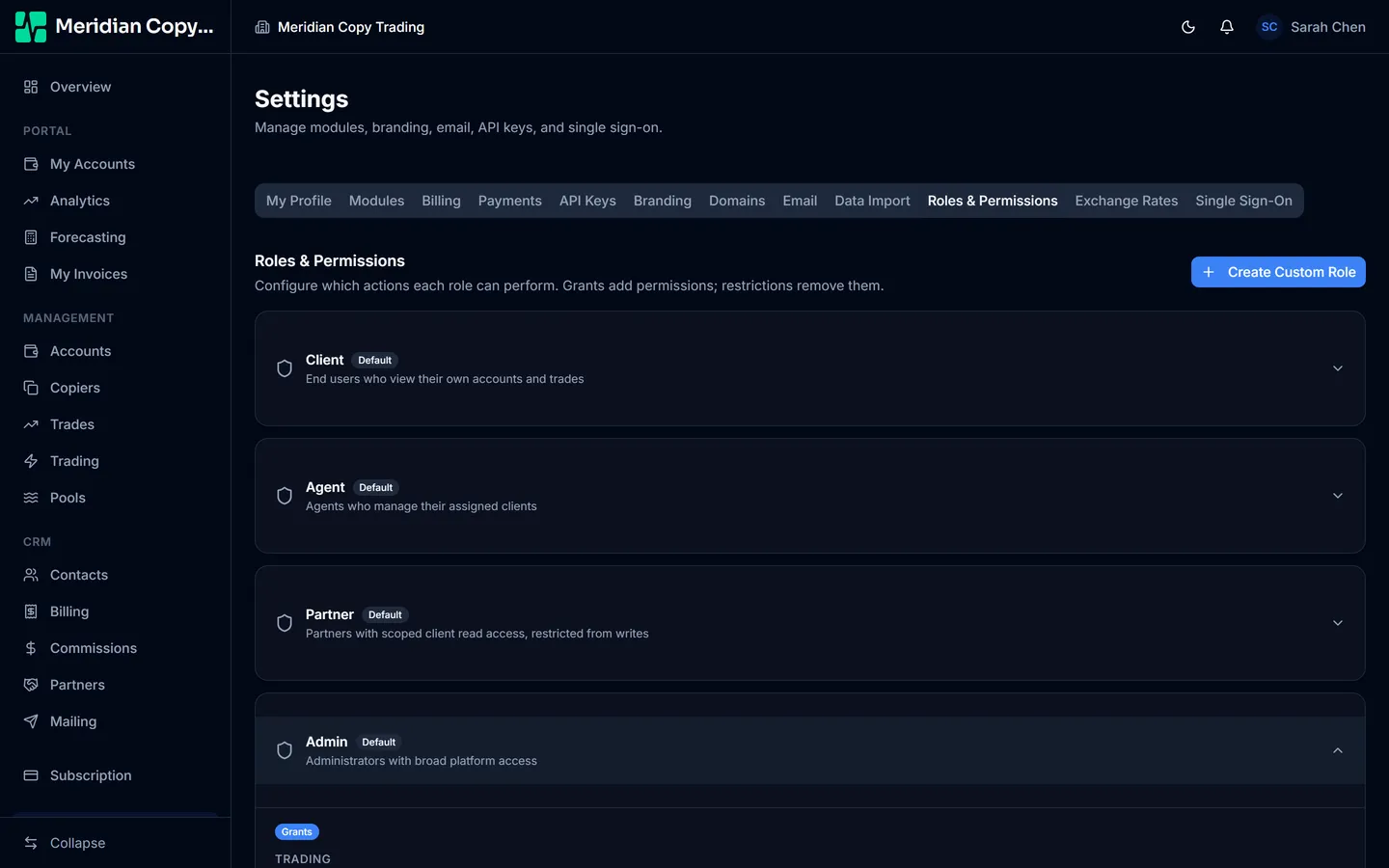
Each role is a collapsed card; open one to see its matrix. Permissions are shown in two groups — grants, which add an ability, and restrictions, which take one away. Tick or untick and Save Changes. The change applies to every person holding that role, immediately: this is not a per-person override.
Reset to Defaults restores a role to the Trademetry default, which is the safe move after an experiment. It is greyed out on a role you have not changed.
Editing a role edits it for everyone who has it, including yourself. Removing
settings: update from Admin locks every admin out of this very screen; only an
owner can put it back.
Custom roles
Create Custom Role makes a named role built on either Client or Agent as its base, then adds and removes individual permissions from there. Use it for tiers your business has but Trademetry does not name — a junior agent who may not issue invoices, or a client tier with forecasting access.
Custom roles are assignable from the client fields on the contact form, so a new client can be put straight onto the right tier.