
Documentation
Guides for setting up and running Trademetry.
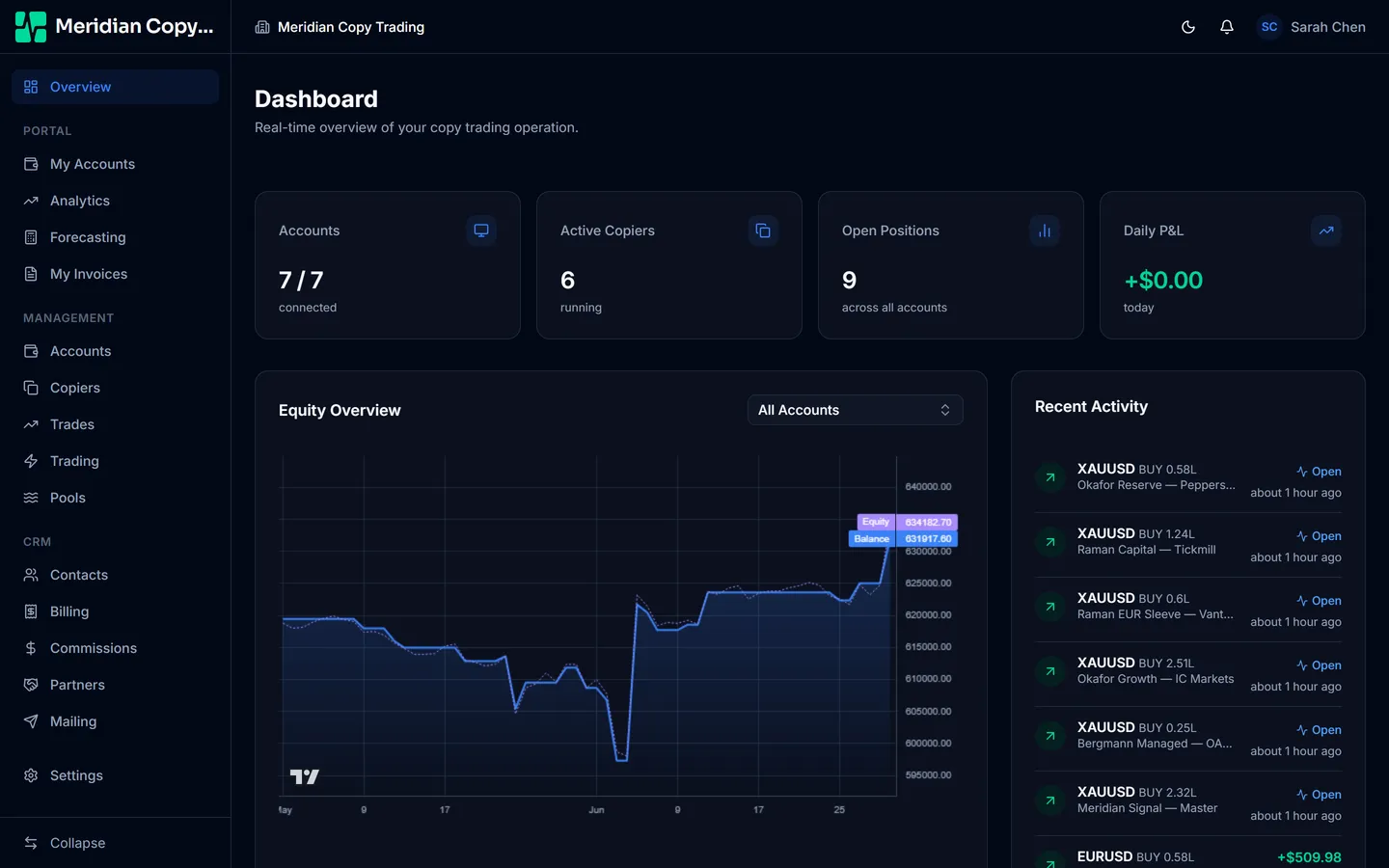
Trademetry copies trades from a leader account to as many follower accounts as you need, across MT4 and MT5, with per-follower risk sizing.
How the pieces fit together
Three objects carry almost the whole product, and everything else hangs off them.
An account is one MetaTrader login — a number, a password, and a broker server. Trademetry connects to it and watches it.
A copier is a one-way link between two accounts: a parent (the leader, whose trades are the source) and a follower (which receives copies). Each copier carries its own risk sizing, so one leader can drive ten followers at ten different sizes.
A trade on the parent becomes a copy event on each follower — sized, filtered, and then placed, or skipped with a recorded reason.
Where to start
- Getting started — create your workspace, set it up, and bring your team in.
- Accounts — connect MT4 and MT5 logins and keep them healthy.
- Copiers — build the copy links and size them.
Then, once it is running:
- Trades — history and live positions across every account.
- Analytics — performance for the book, a client, or one account.
- Settings — tabs, API keys, and bulk imports.
- Add-ons — CRM, Billing, Commissions, Mailing, and Pools.
- Client portal — what your clients and agents see.
A note on add-ons
Trade copying, analytics, and manual trading are part of every workspace. CRM, Billing, Commissions, Mailing, and Pools are paid add-ons, enabled per workspace. Anything in these guides that depends on one is marked, like this:
CRM add onIf a tab or page described here is missing from your workspace, check whether it carries a badge — the feature exists, but your workspace has not enabled it.