
Accounts
What an account is in Trademetry, and how the list works.
An account is one MetaTrader login: a number, a password, and a broker server. Trademetry logs into it, watches what happens, and — if a copier points at it — places trades on it.
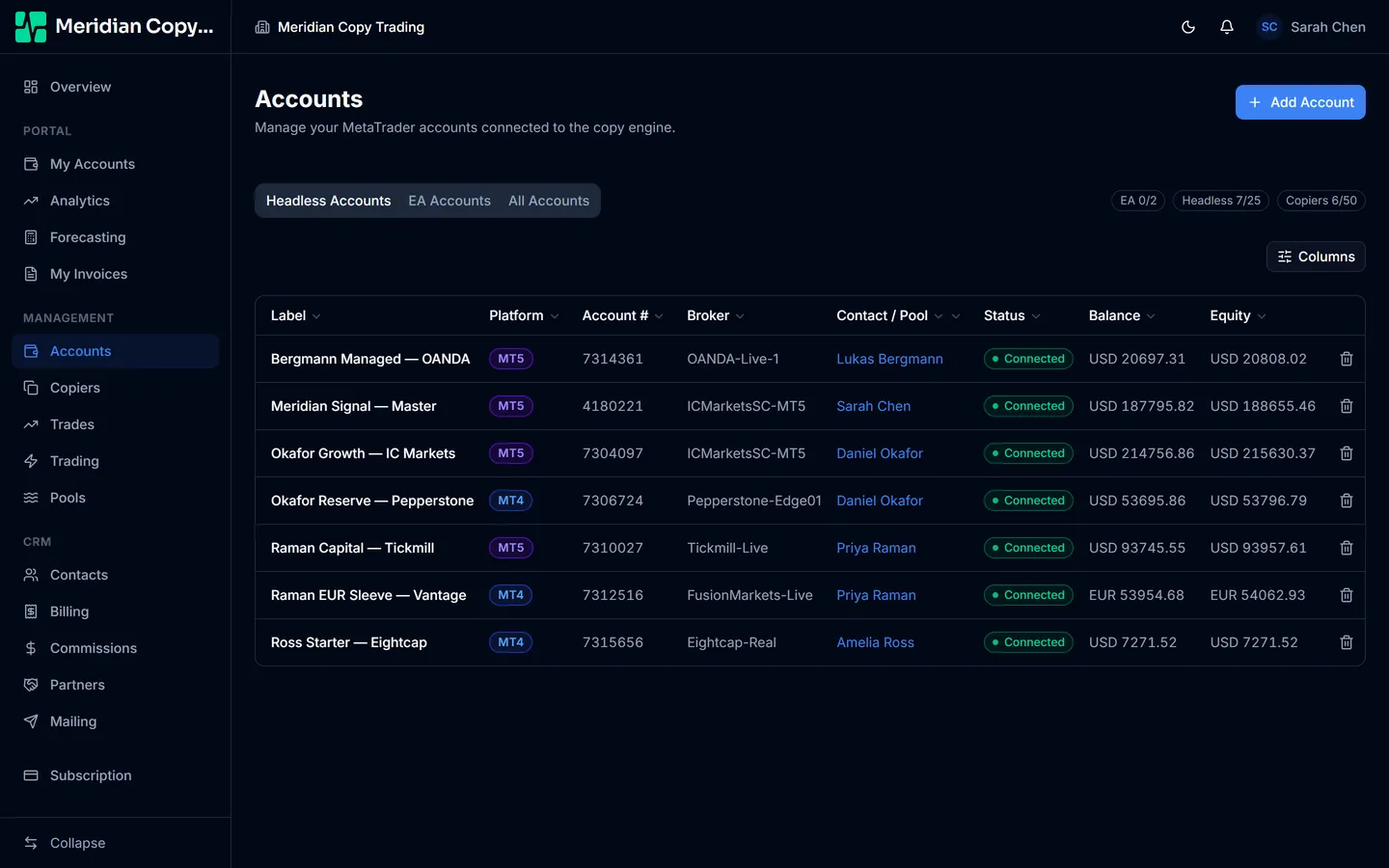
Leader or follower is not a property of the account
Nothing on an account marks it as a leader or a follower. That relationship lives on the copier, and it is per-link: the same account can be the parent of one copier and the follower of another. Connect the accounts first, decide the direction afterwards.
MT4 and MT5
Both platforms are supported and the difference barely surfaces. You choose the platform when you add the account, the broker-server list filters to match, and after that copiers, trades, and analytics behave identically. A leader on MT5 can drive a follower on MT4.
The one thing to watch is that the same broker often runs separate MT4 and MT5 server names, and they are not interchangeable. Take the server name from the terminal you are actually connecting.
Reading the list
Three tabs sit above the table: Headless Accounts, EA Accounts, and All Accounts. They split the list by the two kinds of account your plan counts separately — see EA accounts and terminals.
Columns are Label, Platform, Account #, Broker, Contact / Pool, Status, Balance, and Equity. The column picker hides the ones you do not want, and columns can be dragged wider.
Every column filters. The most useful in practice:
- Status — the fastest way to find what is broken. See Account status.
- Contact — whose account this is CRM add on
- Sales rep — the assigned agent Commissions add on
Balance is settled cash. Equity is balance plus the unrealised profit and loss of anything currently open, so on an account with open positions the two differ, and equity is the one that moves tick by tick. Which of them your copiers size against is a choice you make per copier — see Risk types.
Row actions
A reconnect button appears on rows that are disconnected, failed to log in, or errored. A delete button appears on all of them, and asks you to type the account label to confirm — deletion is not a click you want to make by accident.
Deletion is soft. Deleted accounts can be restored, and their trade history is not thrown away.
Capacity
Your plan caps how many accounts you can hold, counted separately for EA accounts and copier accounts. When you are at the cap, Add Account is disabled and hovering it explains which limit you have hit. Raise it from billing settings; see Sign up for what the two kinds are.