
CRM
Contacts, roles, and the activity trail.
CRM adds Contacts — the record of every person connected to your workspace, whatever their relationship to it.
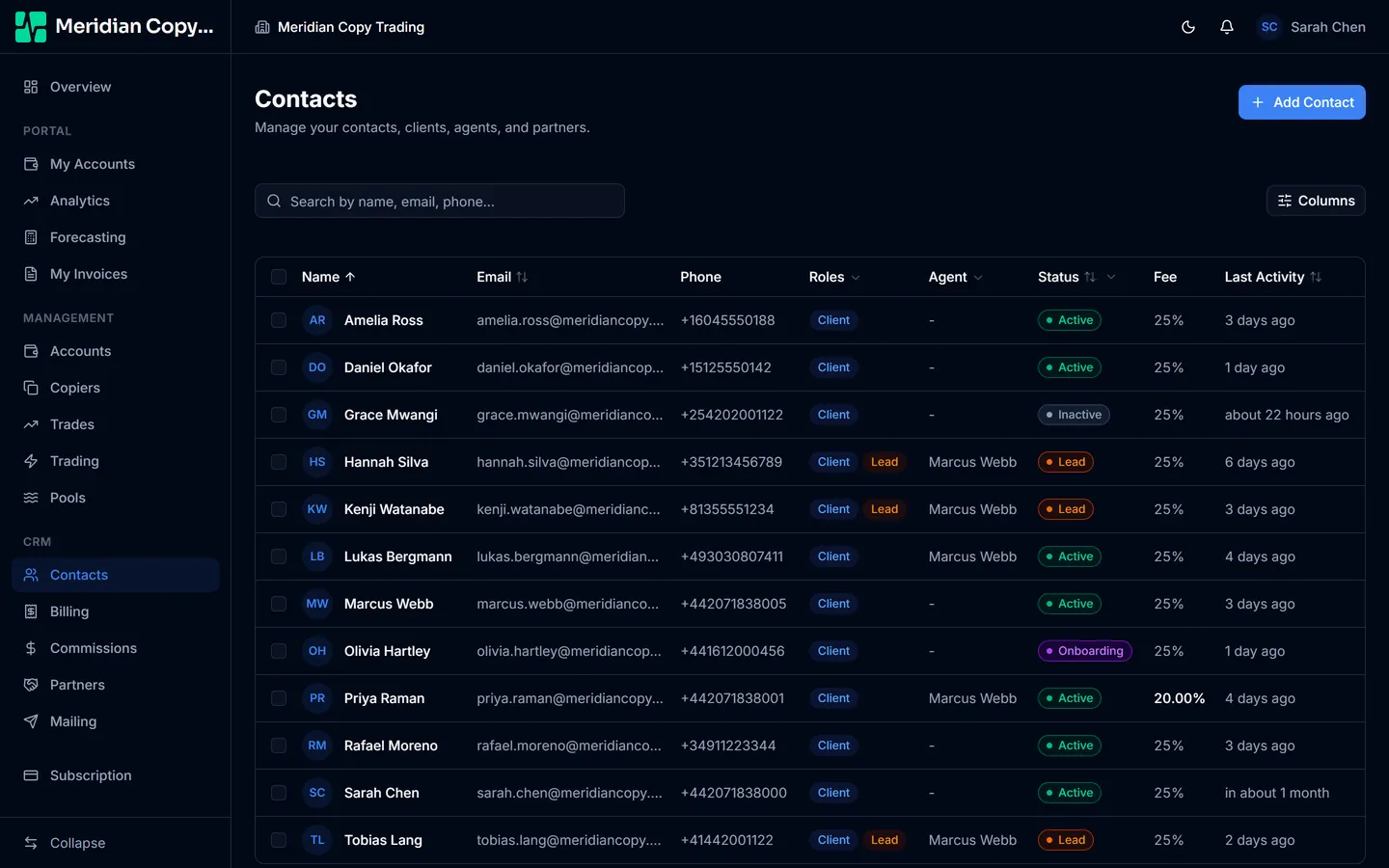
Contacts are how people exist
This is the part worth grasping before anything else: a contact is not only a sales lead. Your administrators are contacts. Your agents are contacts. Your clients are contacts. Adding anybody to the workspace means adding a contact, which is why CRM is a prerequisite for a good deal of the product.
See Invite your team for the mechanics.
Roles and status
A contact carries one or more relationship roles — Client, Agent, Partner — and, separately, access roles such as Admin and portal access. The list shows both.
Clients also carry a status: lead, onboarding, active, or inactive. Status is not decoration. A trading account can only be linked to a contact who holds the client role and is past lead status, which is what stops an account being attached to somebody who has not signed anything.
The list
Search, plus filters on status, roles, and assigned agent. Columns are configurable, and the whole thing paginates.
Select rows for the bulk bar: Setup Account (enable portal access and send the welcome email), Change Agent, Change Status, Export, and, for admins, Delete.
Bulk delete skips contacts that have linked trading accounts or pool investments, and tells you how many it skipped. Deleting a person out from under a live account is not something it will do quietly.
The contact record
Open a contact for their details, their linked trading accounts, their client configuration — assigned agent, fee override, client since — and their activity trail.
Activities are the running history of your relationship: phone calls, emails, meetings, notes, and a catch-all "other". Log one from the contact page, and it stays with the record.
Trademetry writes to the same trail itself. An admin impersonating a user, for one, is logged as an activity on that user's record, naming who did it — so the trail is an audit history as well as a sales one.
Exporting
The bulk Export action takes the contacts you selected, the columns you pick, and the format you choose. Useful for a mail merge, a handover, or an accountant who wants a spreadsheet.